
Overview
Retrieval-Augmented Generation (RAG) is what allows Cortx to understand questions and answer them using your own data.
Instead of depending only on what the AI already knows, Cortx looks inside your organization’s information — your resources, conversations, and shared files to find the most relevant details before giving a response.
It’s what makes Cortx different. You don’t have to search or dig through folders anymore just ask a question, and Cortx replies using facts from what your team has already discussed or stored.
How Cortx Understands Your Knowledge
Cortx brings together everything your team knows into one connected space.
It doesn’t just look at files — it also learns from the conversations and work happening across your tools.
This includes:
- Resources like reports, presentations, and notes.
- Conversations from meetings, team chats, or standups across platforms like Teams or Slack.
- Tasks and updates from ongoing projects and workflows.
- Templates, Specs, and Dashboards that define, track, and visualize your work.
Cortx treats all of these as parts of your collective knowledge. It organizes and remembers them so that whenever you ask a question, it can pull information from the right places instantly.
What Happens Behind the Scenes
Different Knowledge Scopes in Cortx
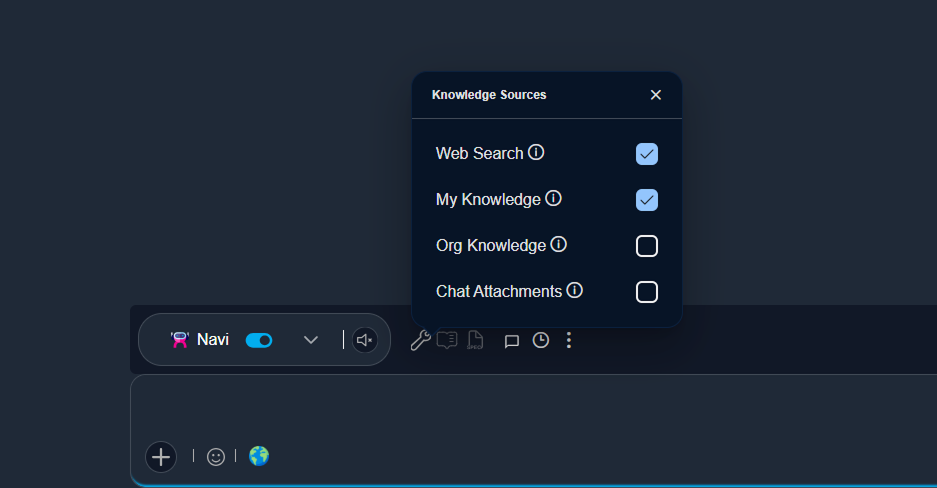
My Knowledge
This includes everything that belongs to you — your uploaded resources, your past conversations, and the notes or content you’ve worked on. It’s your personal space inside Cortx, and the answers come only from what you’ve interacted with before.
Org Knowledge
This combines your personal knowledge with everything shared across your organization that you have permission to view. It helps Cortx answer broader questions, connect related information across teams, and bring together company-wide insights.
Chat Attachments
This is the most focused scope. It’s limited to the current chat. Cortx only uses the resources and links attached to on-going conversation — ignoring everything else. This is useful when you want to stay on one topic, like reviewing a specific spec, dashboard, or meeting summary. By switching between these scopes automatically, Cortx always finds the right balance between personal, organizational, and chat-specific information.
How Cortx Finds and Builds Answers
Learning and Improving Over Time
Why It Matters
- Answers are always accurate, based on your verified data.
- Results stay focused, using the right scope for the question.
- Sources remain visible, so every insight can be traced back.
- Information stays secure, always within your environment.